
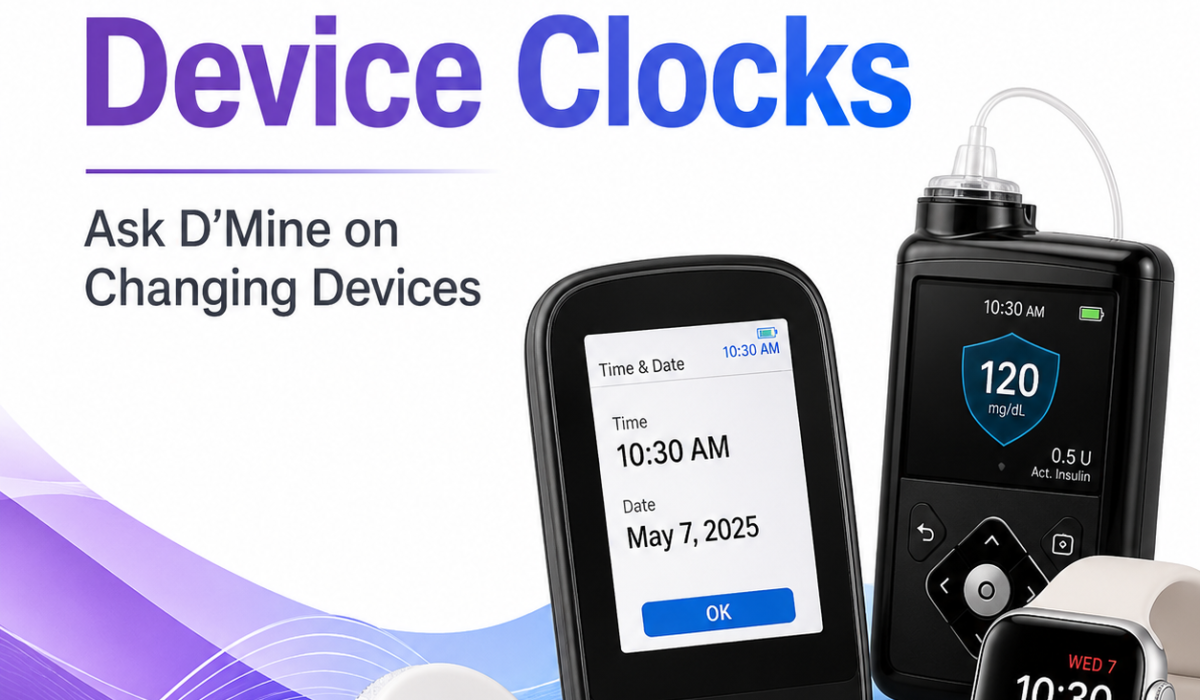
When daylight saving time starts or ends, most people only have to change the clock on their phone, microwave, or car. But for people using diabetes device clocks, a time change can do more than shift the display. It can affect insulin delivery, glucose tracking, reminders, reports, and how accurately device data lines up with daily routines. That is why even a small adjustment can matter in everyday diabetes care.
So, how do clocks changing on diabetes devices help? The short answer is that they help keep your diabetes data, dosing schedules, and device alerts aligned with real life. Setting the time correctly on a pump, continuous glucose monitor (CGM), smart pen, or meter is not just a convenience. It supports safer diabetes management and makes it easier to understand what your numbers mean.
This guide explains why diabetes device clocks matter, what happens when the time changes, and how to handle clock changes on diabetes devices the right way. It also shows how a simple routine can reduce confusion, protect your records, and help you stay organized when the clock shifts.
- Why the clock matters on diabetes devices
- How clock changes help diabetes device clocks users
- What happens when clocks change for daylight saving time
- Which diabetes devices may be affected
- How to handle a clock change on diabetes devices
- Does changing the clock change insulin delivery?
- Common questions about clock changes and diabetes devices
- Tips for making clock changes easier
- The bottom line
Why the clock matters on diabetes devices
A diabetes device clock is more than a digital display. It helps organize the timing of everyday care and keeps the information in your devices meaningful. The clock affects:
- insulin dosing schedules
- glucose readings
- trend reports
- food and activity patterns
- alarms and reminders
- insulin delivery timing
If the clock is wrong, the device may still work, but the information it gives you may be misleading. That can make it harder to understand what is happening with your blood sugar. In diabetes care, the timing of events matters as much as the numbers themselves.
For example, if your pump or CGM is set to the wrong time, a reading from breakfast may appear to have happened at dinner. That can confuse pattern reviews and make it harder for you or your care team to adjust treatment safely. In that sense, diabetes device clocks are part of good diabetes management, not just a settings screen.
Time accuracy also matters when you review several days of data at once. A chart may look fine on the surface, but the wrong timestamps can hide repeated lows overnight or make post-meal spikes harder to spot. When diabetes device clocks are correct, the pattern is easier to see and easier to act on.
How clock changes help diabetes device clocks users
Clock changes help by keeping records accurate and consistent. Here’s why that matters.
1. They keep glucose data lined up with your day
Diabetes management depends on patterns. You want to know:
- when blood sugar rises after meals
- whether it drops overnight
- how exercise affects glucose
- whether insulin is working as expected
If device time is correct, the data shows what happened at the right time of day. That makes trends easier to understand. It also helps your healthcare team make better decisions. When diabetes device clocks are accurate, reports are much easier to trust.
This matters even more when you are trying to compare one week with another. A one-hour shift can make a good trend look inconsistent, or it can make a repeated issue seem random. The closer the timestamps are to real life, the better your interpretation will be.
2. They support correct insulin timing
Insulin pumps and smart insulin devices may use time-based settings, such as:
- basal rates
- correction factor schedules
- carb ratio settings
- temporary basal changes
- dose reminders
These settings often vary by time of day. A morning insulin need may be different from an overnight need. If the clock is off after a daylight saving time change, those settings may apply at the wrong moment. That is one reason diabetes device clocks need a quick check whenever the time changes.
That does not mean the device will suddenly stop working, but it can lead to insulin being delivered according to the wrong schedule if the time is not updated properly. For someone who uses multiple daily settings, that mismatch can make the rest of the day harder to interpret.
It is also worth remembering that a device can still display a correct dose history while the times are off. In that situation, the numbers may look reasonable, but the sequence of events can be misleading. That is another reason to verify diabetes device clocks after every clock change.
3. They help alarms and reminders go off when expected
Many diabetes devices use time-based alarms for:
- glucose highs and lows
- missed boluses
- calibration reminders
- sensor warm-up periods
- battery alerts
- check-in notifications
If the clock is wrong, those alerts may happen too early, too late, or at confusing times. A correct clock helps you trust your reminders, and it helps diabetes device clocks stay aligned with your routine. That can reduce the chance of missing an important alert during meals, sleep, work, or exercise.
4. They make reports easier to read
Most people with diabetes review device downloads or app reports with their healthcare team. These reports often show:
- daily glucose graphs
- time in range
- average glucose
- insulin delivery history
- event logs
A wrong clock can distort the report. A meal may look like it happened at midnight, or an overnight low may appear in the afternoon. Correct time settings make reports much more useful. If you use diabetes device clocks consistently, your logs are easier to compare from one day to the next.
This is especially helpful when a clinician is trying to figure out whether a change in basal insulin, meal timing, or activity explains a pattern. Accurate timestamps remove one more layer of guesswork.
What happens when clocks change for daylight saving time
Daylight saving time creates a one-hour shift in the clock. In spring, clocks move forward one hour. In fall, clocks move back one hour.
For most diabetes devices, you may need to update the time manually or confirm that automatic time settings are correct. Some devices and apps adjust automatically, while others do not.
If the time is not changed properly, you may see issues such as:
- incorrect log timestamps
- insulin schedule mismatch
- confusing CGM graphs
- alerts at the wrong time
- problems comparing current and past data
That is why it’s important to check all diabetes devices when the clocks change, not just your phone. A quick review of diabetes device clocks can save a lot of confusion later.
For a general explanation of daylight saving time and clock changes, the timeanddate daylight saving time guide offers a clear overview of how the shift works in different regions.
Some people also use the clock change as a natural reminder to clean up old alerts, confirm battery levels, and make sure apps are still syncing correctly. That way, the seasonal time shift becomes a useful check-in rather than a source of stress.
Which diabetes devices may be affected
Several common diabetes tools can be impacted by clock changes:
Insulin pumps
Pump settings often depend on the time of day. If the time is wrong, basal schedules and bolus calculations may not match your intended plan. That can make device records difficult to interpret, even if the pump is otherwise functioning normally.
Continuous glucose monitors
CGMs record readings in real time. Incorrect time settings can make trend charts and event logs harder to interpret. If you rely on overnight data, even a small mismatch can make the pattern look different from what actually happened.
Smart insulin pens
These devices track injection time. A wrong clock can lead to inaccurate dose histories. That matters when you are trying to remember whether a dose was taken before a meal, after a correction, or at a specific time of day.
Blood glucose meters
Meters may store the time and date of each reading. If the clock is off, the reading history can become confusing. This can make it harder to connect a number with a meal, stress, exercise, or a bedtime check.
Diabetes apps
Apps often sync data from multiple devices. If one device is set to a different time, the app may display mismatched records. That can make diabetes device clocks seem like a small issue, but in a connected system the effect can spread across several screens.
When diabetes device clocks are synced properly, these tools give you a clearer view of what is happening across the day and night. That clarity supports better decisions at home and during appointments.
How to handle a clock change on diabetes devices
The exact steps depend on the device, but the general process is simple.
Step 1: Check every device
Do not assume all devices updated automatically. Check:
- pump
- CGM receiver
- insulin pen device
- glucose meter
- smartphone app
- smartwatch if connected
This step is especially important if you use more than one device from different manufacturers. Diabetes device clocks may not sync the same way across all systems, so each one deserves a quick look.
Step 2: Confirm the correct local time
Make sure the device matches your current time zone and daylight saving time setting. If you traveled recently, also check whether the device adjusted for the new location.
Step 3: Review time-based settings
If you use pump settings that change by hour, confirm that basal rates and other schedules still line up with your routine. This is one of the most important parts of checking diabetes device clocks, because the issue is not just the display—it is how the device applies your settings throughout the day.
Step 4: Look at alerts and alarms
Make sure reminders still make sense after the clock change. If a reminder seems to arrive at an odd time, it may mean one of your devices did not update properly.
Step 5: Watch your data for a day or two
After changing the clock, keep an eye on whether readings, doses, and alerts appear in the right order. This short follow-up can confirm that diabetes device clocks are working as expected.
Step 6: Follow the device instructions
Some devices should be adjusted forward or backward in a specific way. Others may need support from the app or device menu. Always follow the manufacturer’s guidance for your model. If you are unsure, check the user guide or the company’s support page before changing anything.
When possible, make the change calmly and systematically. Rushing through several connected devices at once can make it easier to miss one setting. A simple checklist can help.
- Confirm the time on every device
- Check whether the app and receiver match
- Review time-based insulin settings
- Verify alarms after the change
- Check the next day’s data for consistency
Does changing the clock change insulin delivery?
Not always, but it can if your diabetes device clocks use time-based settings.
For example, an insulin pump may not change how much insulin it can deliver overall, but the schedule of basal delivery may depend on the time block you set. If the time is changed without checking those blocks, the pump may deliver insulin according to the wrong part of the day.
That is why clock changes are not just about appearance. They can affect how the device interprets your schedule. If you use a pump, smart pen, or automated insulin system, the time setting is part of how the system organizes your treatment.
In practical terms, the safest approach is to treat the time setting as part of your diabetes plan, the same way you would treat carb ratios or correction settings. When diabetes device clocks are correct, the device data matches your actual routine.
It is also helpful to remember that some settings may appear unchanged even though their timing has shifted. That is another reason to verify the full timeline after a daylight saving time change, especially if your pump or connected app stores a history that you review later.
Common questions about clock changes and diabetes devices
Should I change my diabetes device clocks on daylight saving time?
Yes, if your device does not update automatically. This helps keep logs, alerts, and insulin schedules accurate.
Do I need to change every device separately?
Often, yes. Different devices may not sync time the same way. Check each one individually.
What if I forget to change the clock?
If the clock is off by one hour, your device may still function, but your records and time-based settings may be confusing. Correct the time as soon as possible.
Will my CGM readings be wrong if the clock is wrong?
The glucose values themselves may still be correct, but the timestamps can be wrong. That can make it harder to interpret patterns.
Can my phone setting fix all connected diabetes devices?
Not always. Some apps sync with phone time, but receivers, pumps, or meters may still need manual updates.
Why does time accuracy matter so much in diabetes care?
Because diabetes management depends on timing. Meals, insulin, exercise, sleep, and glucose changes all happen on a schedule. Accurate time helps connect those events correctly.
Where can I learn more about device safety and timing?
Your device manufacturer’s instructions are the best place to start, and your diabetes care team can help if you are unsure how the change affects your specific setup. For broader diabetes technology guidance, you can also review the American Diabetes Association journal Diabetes Care, which regularly publishes research and clinical guidance on diabetes devices and management.
Another helpful habit is to keep a quick note in your phone or paper log about when you changed the time. That small record can make it easier to explain a data shift later if you review reports with your care team.
Tips for making clock changes easier
A little planning can prevent confusion.
- Set a reminder before daylight saving time changes
- Check devices on the same day as the time shift
- Keep device manuals or app instructions handy
- Review insulin pump schedules after changing the time
- Recheck data the next day to confirm everything looks normal
If you manage diabetes with multiple devices, it helps to make clock-checking part of your routine twice a year. That simple habit keeps diabetes device clocks and your records in sync.
You may also find it helpful to compare device timelines with a recent diabetes management article that looks at how technology can support day-to-day routines.
For many people, the easiest strategy is to pair the clock change with another regular task, like checking supplies, charging devices, or reviewing notifications. Linking the time change to an existing habit makes it much more likely you will remember it.
The bottom line
Clocks changing on diabetes devices help keep your glucose data, insulin timing, alarms, and reports accurate. That matters because diabetes care depends on timing and patterns. Even a one-hour shift can make logs confusing or affect how time-based settings work.
The most important step is simple: check every diabetes device clock when the clocks change and make sure the time matches your local time. Doing so helps your devices work the way they should and makes your diabetes data easier to trust.
When you stay on top of diabetes device clocks, you make it easier for your devices, your records, and your treatment plan to work together. Over time, that consistency can reduce confusion, support better conversations with your care team, and make seasonal time changes much easier to manage.